
What You Get With Travel Keeper Pro
September 25, 2026
Travel Keeper Pro is $39 a year and it adds fourteen things to an app that already does the whole job for free. Screenshot import, calendar view, spending breakdowns, sync across your devices, planning together with your partner, packing list templates, PDF export, and more.
Everything free today stays free forever. Pro only ever adds. Nothing you already have will move behind the paywall, and I’d rather say that up front than let you wonder.
Here’s the full list.
What is free in Travel Keeper?
More than most people expect, and it’s a real product rather than a trial.
The free version includes:
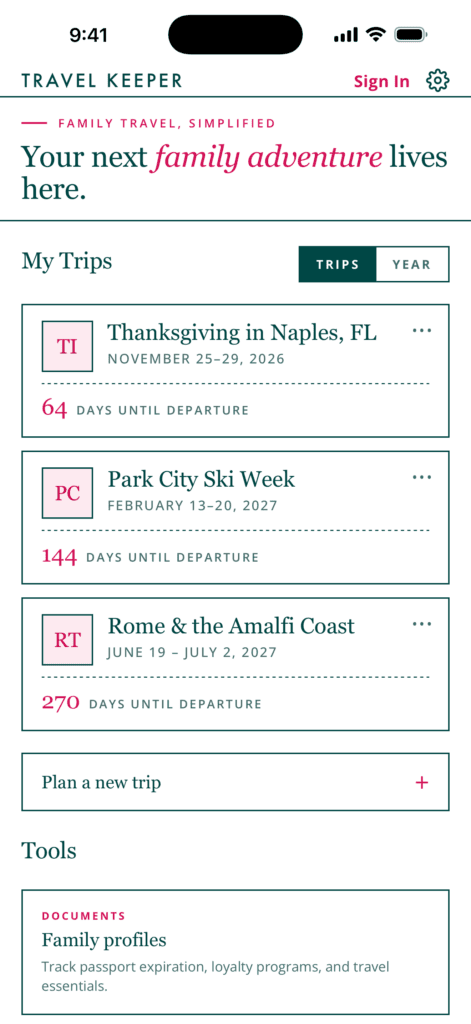
- Unlimited trips
- The full itinerary and day-by-day planning
- The booking timeline
- Packing lists, including: Must stay, Carry-on essentials, Beach & warm weather, Cold weather & ski, International, Baby & toddler, Road trip.
- Family profiles with passport expirations and loyalty numbers
- Cost tracking and totals
- The wishlist and the bucket list
- Share links that show a snapshot of your trip
- Viewing a trip someone else shares with you
- Backup and restore
- Recently deleted (saves deleted trips for 30 days just in case)
You can plan an entire international trip for a family of five without paying me a dollar. People do it every week.
What does Pro add?
Thirteen gated features.
| Free | Pro | |
|---|---|---|
| Trips | Unlimited | Unlimited |
| Itinerary | List view | List view plus calendar view |
| Bookings | Enter by hand | Import from a screenshot or photo |
| Costs | Totals | Totals plus breakdown by category, plus year in travel recap |
| Booking timeline | Preset steps | Add your own steps, hide the ones that don’t apply |
| Packing lists | Built-in templates | Save your own as reusable templates |
| Devices | No sync | Sync phone, tablet and laptop, end to end encrypted |
| Sharing | Snapshot links | Live links that keep updating as you edit the trip, plus collaborators |
| Co-planner | Not included | One collaborator seat included |
| Export | Not included | PDF export and add to calendar |
How does importing a booking from a screenshot work?
You take a photo or screenshot of a confirmation and it becomes a trip entry.
Flight confirmation email, hotel booking, a rental car voucher, a ticket. Point your camera at it or feed it the screenshot already sitting in your camera roll, and the details come across into the trip instead of you typing a confirmation number off a second screen.
This is the feature people upgrade for. Typing in six bookings by hand is the part where a planning app starts feeling like homework.
What is calendar view?
Your itinerary laid out on a calendar instead of a list.
The list view is free and it’s the right view most of the time, because a trip is a sequence. Calendar view is what you want when you’re looking at gaps. Which afternoon has nothing in it, whether you’ve stacked three big things on one day, where the travel days fall against the weekend.
What does the spending breakdown show?
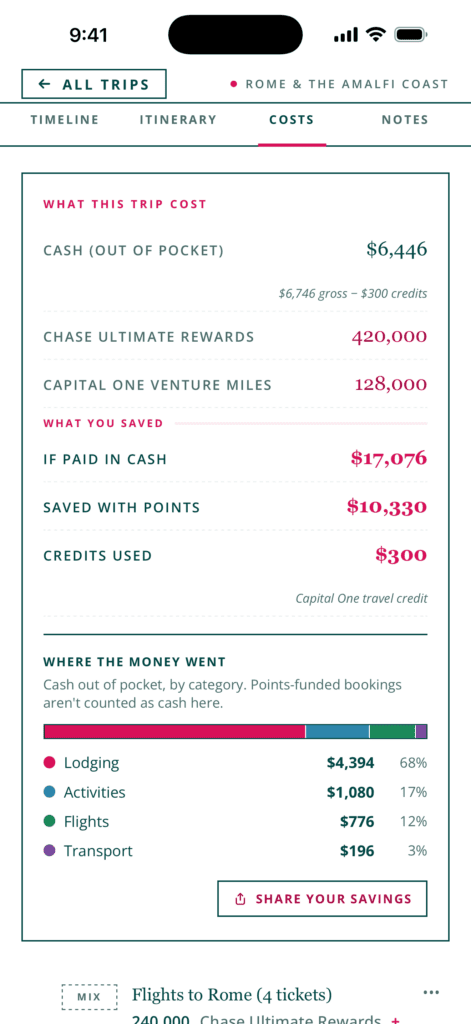
Where the money went, split by category.
Flights, lodging, food, activities, and whatever else you’ve tracked, each as its own number instead of one total at the bottom. The free version gives you the total. Pro tells you that you spent more on food than flights, which is the number that changes how you plan the next one.
Pro also generates a year in travel recap card, a shareable summary of everywhere you went that year. People post these. It’s the one Pro feature that’s purely for fun.
Can I change the booking timeline?
With Pro, yes, both directions.
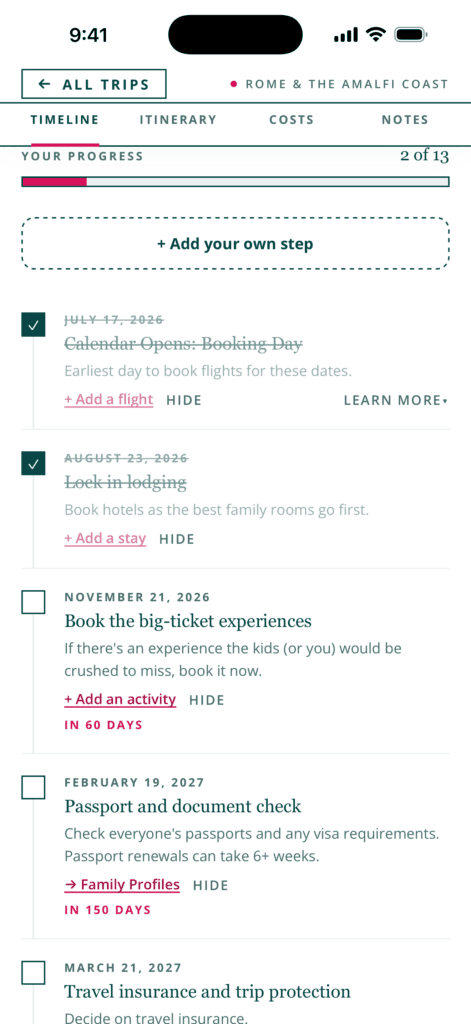
The booking timeline is the checklist of what to book and when, and it’s free. Pro lets you add your own steps for the things unique to your trip, and hide the preset steps that don’t apply. No rental car on a cruise. No visa for Canada. A timeline with irrelevant steps in it is a timeline you stop reading, so being able to clear them out is most of the value.
Can I reuse a packing list?
With Pro, you can save any packing list as a template and pull it up on the next trip.
The built-in beach, ski, baby and road trip templates are free and they’re a fine starting point. But your family’s list is specific. The one kid’s inhaler, the travel sound machine, the specific charger for the specific camera. Build it once, save it, and every future trip starts from your real list instead of a generic one.
How does syncing across devices work?
Pro syncs your trips between your phone, tablet and laptop, encrypted before they leave your device.
You plan at your laptop, you travel with your phone, and both stay in step. Your trips are encrypted on your device with a 12-word recovery phrase that only you hold, which means nobody can read them, including me.
Here’s the step-by-step setup.
Can my partner help plan the trip?
Yes, and Pro includes a seat for them so they don’t have to buy their own.
Two pieces to this:
Live share links. The free version’s share link is a snapshot of the trip as it was the moment you made it. A Pro link keeps updating, so when you move dinner, whoever you sent it to sees dinner move. Grandparents, the friend meeting you there, the person watching your dog.
Collaborators. Invite someone by email to view or edit the trip. Editing means they can actually add the reservation they just made instead of texting you the details to enter.
The included collaborator seat is the part I’d point at. One Pro subscription covers you and your co-planner. It’s $39 for the household, not per person.
Can I get the trip out of the app?
Two ways, both Pro.
PDF export produces the whole trip as a document. Print it, email it to the family, hand it to whoever is watching your house, or carry a paper copy for the border agent who wants to see your return flight.
Add to calendar gives you the trip as an .ics file, so it drops into whatever calendar your phone already uses. Useful when your spouse checks a shared calendar and never opens the app.
Who does not need Pro?
Plenty of people, and I’d rather you keep your $39 than pay for something you won’t open.
- You travel with one device and plan alone. Sync and collaborators are the two biggest Pro features and neither one does anything for you.
- You take one trip a year. Packing templates and reusable timelines pay off on repetition. One trip a year is not much repetition.
- You enter bookings as they happen. If you add a hotel the minute you book it, screenshot import is saving you a couple of minutes, not an evening.
- You’re trying the app out. Use free as long as you want. Nothing expires and nothing nags you.
The people Pro is built for are the ones planning a bigger trip with a partner, across a laptop and a phone, with more than a handful of bookings to keep straight.
How much is Travel Keeper Pro?
$39 a year, which covers you and your co-planner by including one collaborator seat.
There’s no monthly plan and no ads anywhere in it. I built this app for my own family and I’d rather have a small number of people who find it worth $39 than a large number of people being advertised at.
Start free
Download Travel Keeper and plan your next trip on the free version. If you hit the point where you want your laptop and your phone in step, or you want your partner in there with you, Pro is waiting and it’s the same $39 whenever you get there.
Already using it? Reply to any of my emails and tell me what you’d want it to do next. A good chunk of what’s in the app right now came out of messages like that.


